Till, stock and documents — on one screen.in real time.with your own employee.in euro.
Till, stock, catalogue, partners, invoices, reports and a digital employee — in one product. Accounting stays with your accountant: export in every format, NRA ledgers from day one.
One till · four looks · the price is in the Configurator, in euro.
ViDA Business · Digital Store
Catalogue and CN8 — one catalogue for till and storefront
For the client
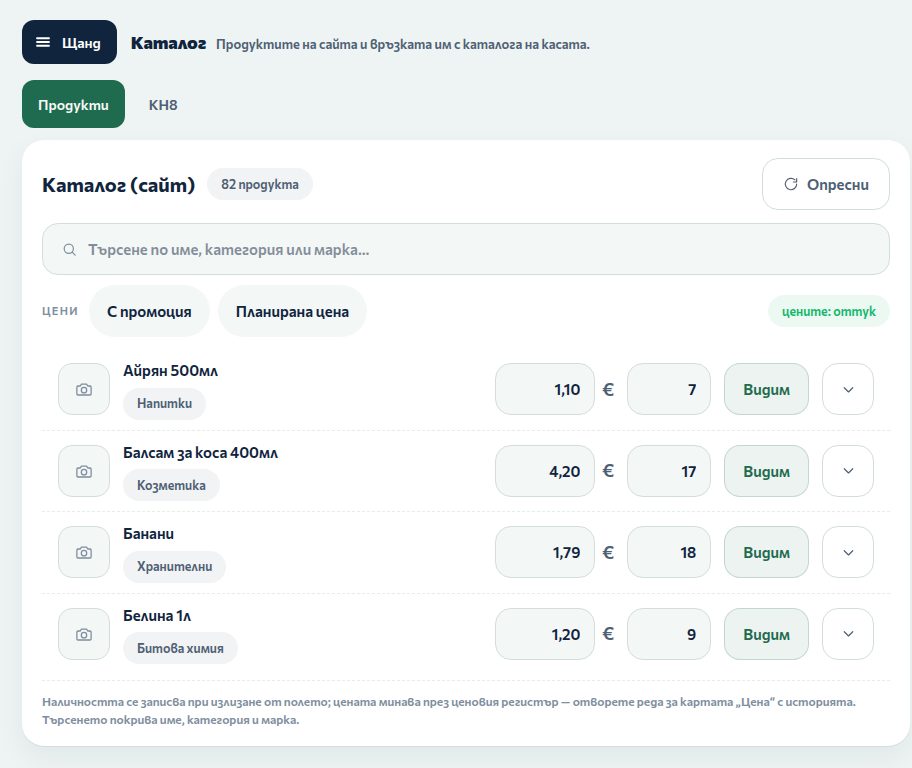
Price, stock and CN8 code for every product — no second system for the online shop.
For the operator
Search by name, category, brand; “Check” shows what would change without writing anything.
ViDA Business · Digital Store
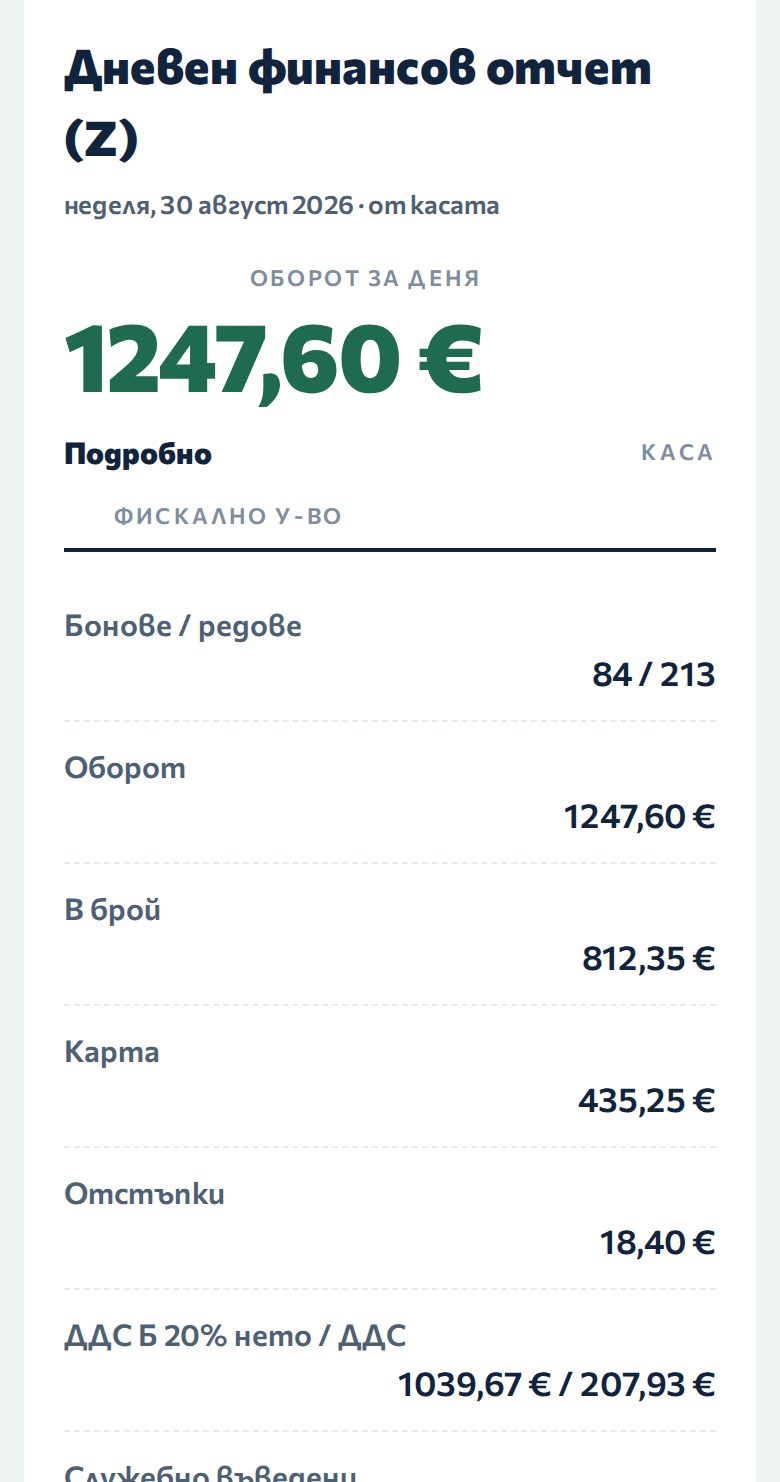
Reports — from the store till, in real time
For the client
Daily, monthly, by period — the same data on every screen; the report date is the store date.
For the operator
Every report is built from the store's own shift records — nothing recalculated by hand.
ViDA Business · Digital Store
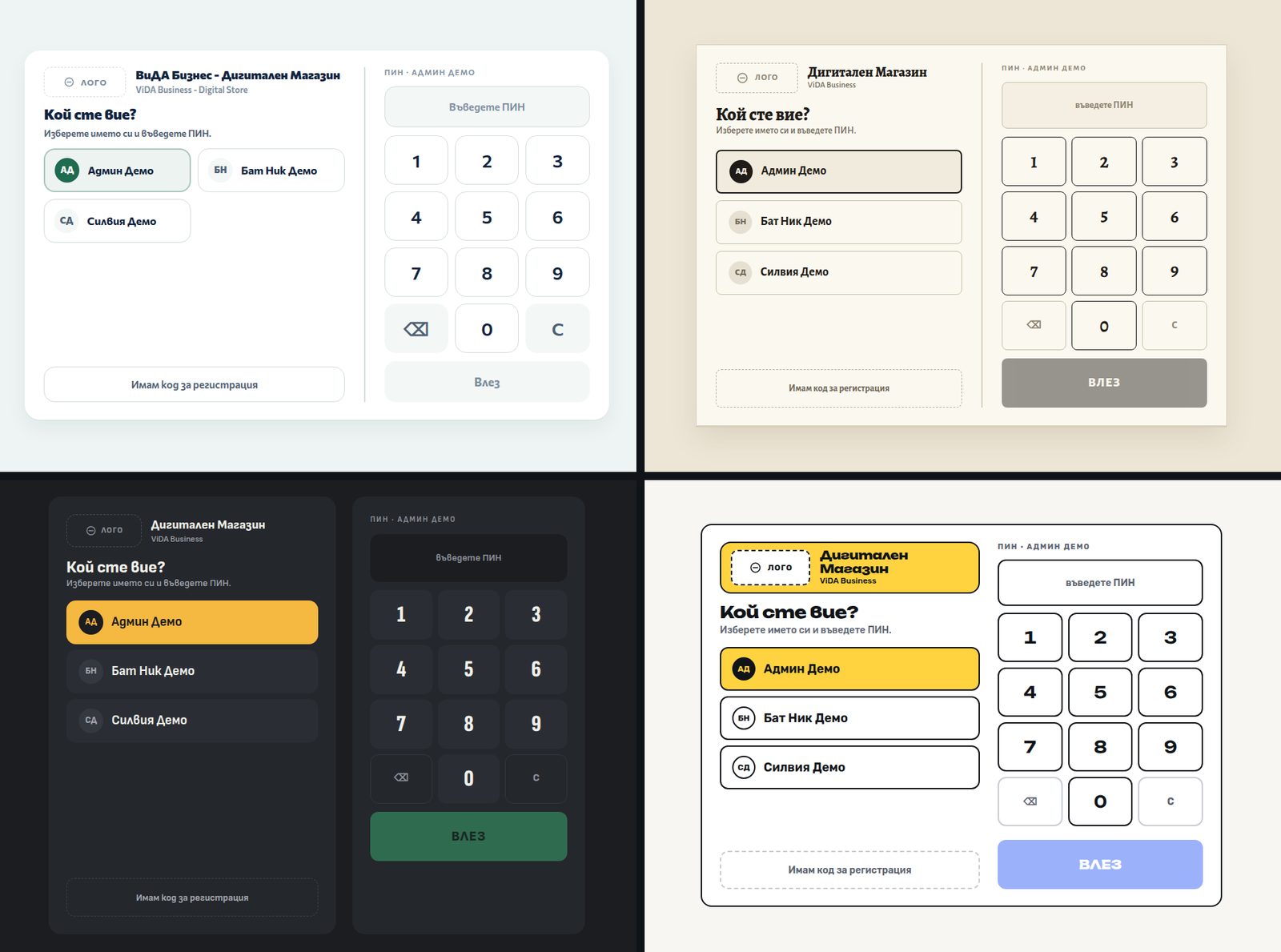
Sign-in — every operator with their own name and PIN
For the client
Who did what stays in the journal — by name, not as “user 1”.
For the operator
Pick your name, enter your PIN. No usernames or passwords to remember.
ViDA Business · Digital Store
Four looks — one till, four faces
For the client
Counter · Paper · Slab · Tiles, light and dark. The store picks its own.
For the operator
The same keys in the same places in every look — you change the look, not your habits.
ВиДА Бизнес · Дигитален Магазин
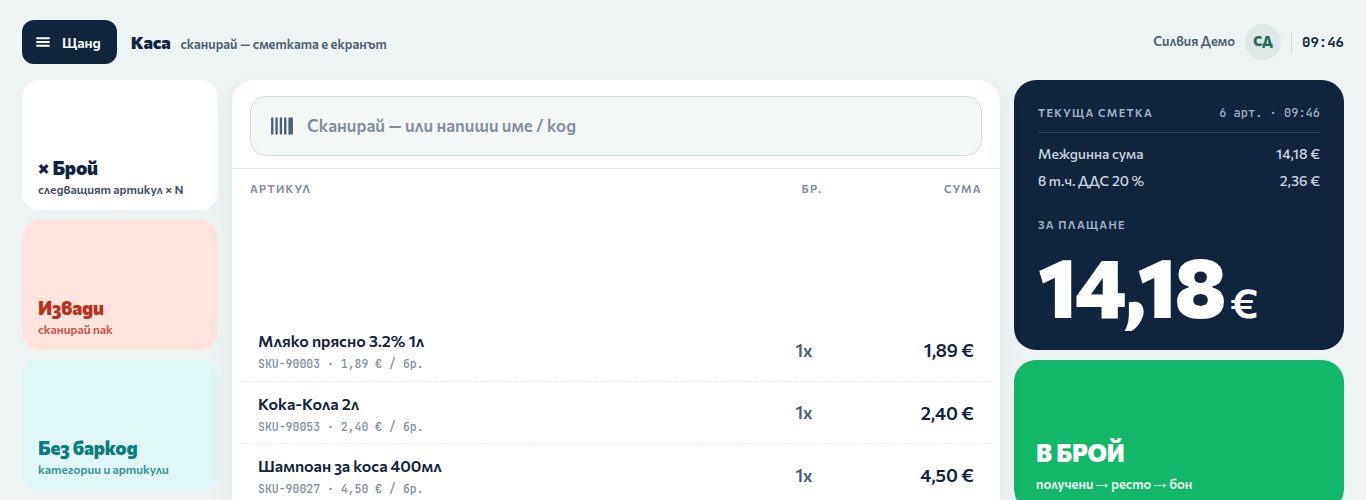
The till — scan, and the basket is the screen
For the owner
The whole basket stays visible as it grows: item, quantity, amount and the VAT inside it — nothing buried in menus.
For the operator
Keys, not menus: quantity, void, no-barcode. The sale is written on the shop's own computer.
ВиДА Бизнес · Дигитален Магазин
DM Mobile — the shop in the owner's phone
For the owner
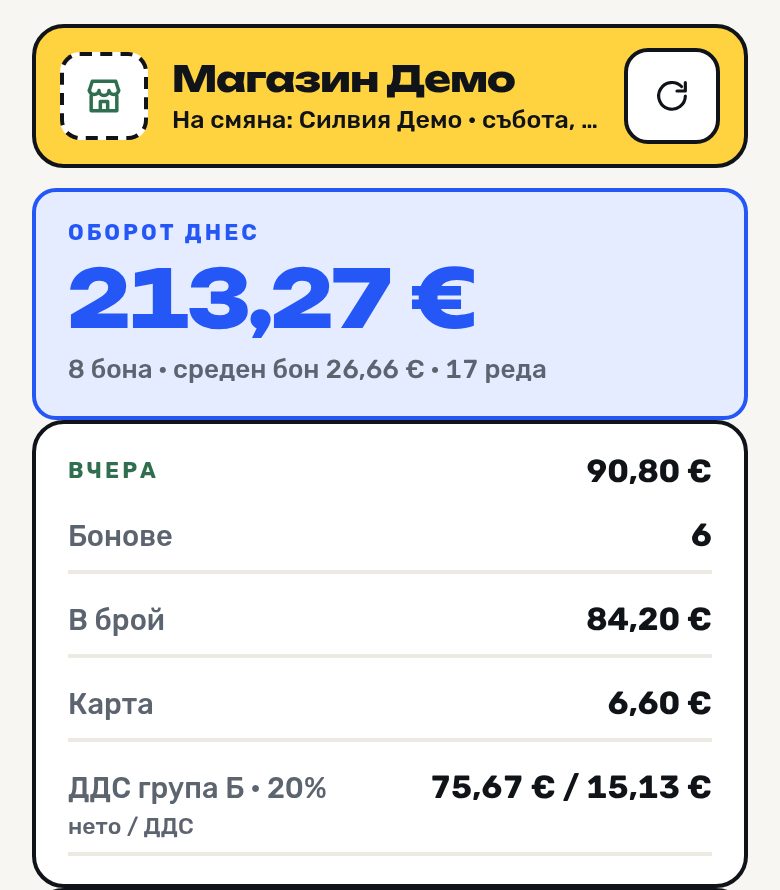
Takings for the day, average basket and the cash/card split — from anywhere, without walking into the shop.
For the operator
Watching only: no till operation starts from the phone. A dash means „no record from this source", not zero.
The frames change on their own. Point at them with your mouse to pause.
Capabilities
Every module is included — you choose which ones to use.
A small shop sees a simple screen because the modules it does not need simply stay hidden — not because they are missing. One database, the same data on every screen.
Catalogue and CN8
Combined-nomenclature code for the whole catalogue — the digital employee suggests, a person confirms. Prices and stock are the same as on the storefront.
ViDA Business · Digital Store
Reports
Daily, monthly, by period. Commercial reports and the accountant’s pack — from one database.
ViDA Business · Digital Store
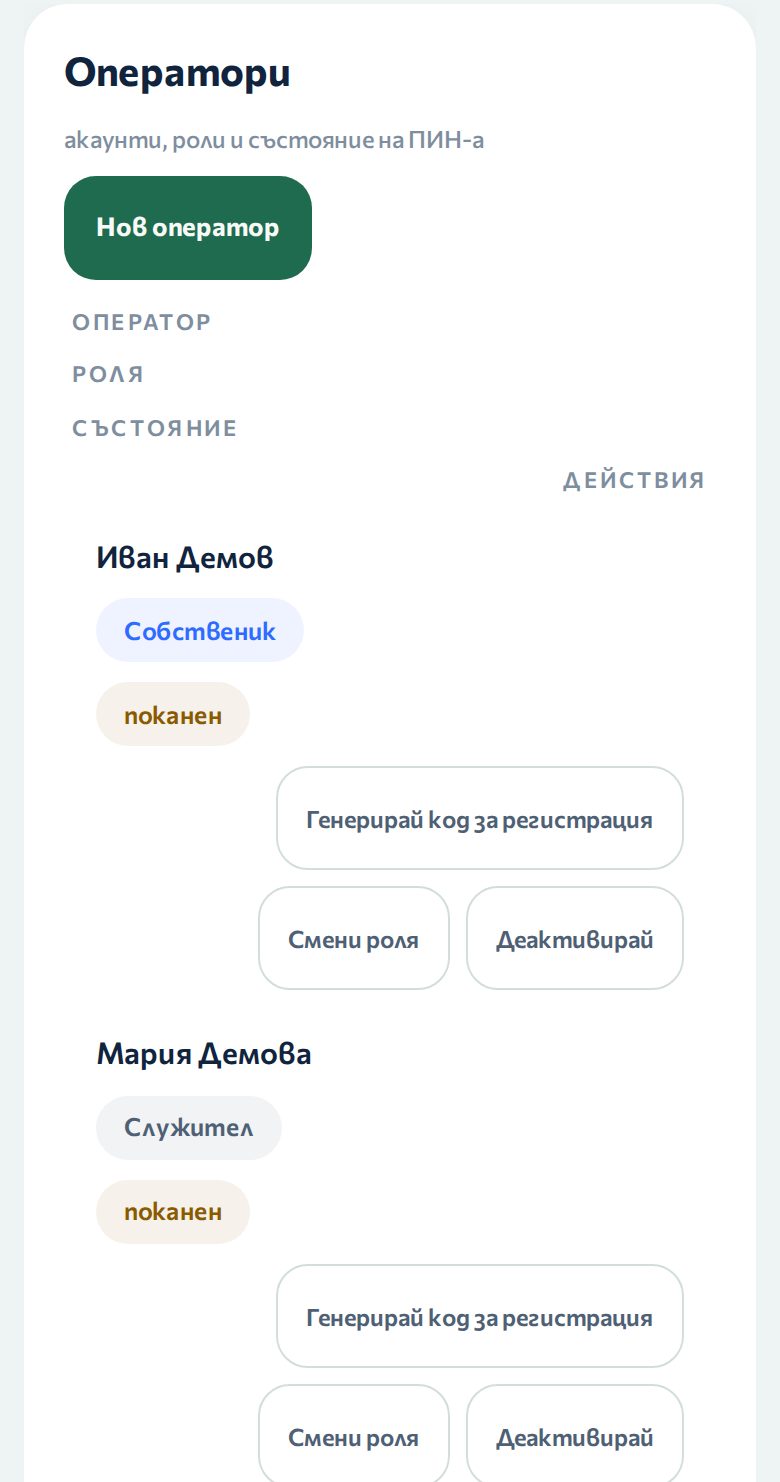
Operators and rights
Own name and PIN for everyone; rights shape the screen.
ViDA Business · Digital Store
Four looks
Counter · Paper · Slab · Tiles — light and dark for each.
ViDA Business · Digital Store
Digital employee
ViDA — for shoppers on the storefront and for staff in the store. Conversation, memory, voice.
You configure it yourself, then order directly. The store never stops for a day.
1
Configurator
You pick the modules, tills and stores yourself and see the exact price straight away, in euro.
2
Order
You send the configuration with your company details. One contract for the whole product — modules are switched on and off in Settings.
3
Monthly invoice
You pay month by month, from the activation date. The data is yours, in one database, with the same data on every screen.
Parallel run with your current software
The product runs next to your current program, reads and archives its data sale by sale, then replaces it. You switch without interruption.
Ready for the law
N-18 · SAF-T · CN8 · ViDA — the fields the law asks for are filled from day one. All prices and reports in euro only.
ViDA · 24/7
Ask ViDA — NuroNode’s secretary.
ViDA answers from the product documentation — about a module, a look, the law or a demo — and records your inquiry for the team. The button is at the bottom right of every page.


 NuroNode